There will be a longer post about the newly released Pi Zero W , however suffice to say as soon as I saw it was available it was ordered, and I now have one!
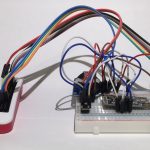
There has been a few changes to the PiDashCam project, which has included moving to the Pi Zero when v1.3 was released (As it had a camera connector on the board). I missed my opportunity to write about those updates!
The Pi Zero W uses a similar set up to the Pi 3, in that the built-in bluetooth capabilities use the hardware UART, which means that my UART GPS receiver wont work.
As it is so similar to the Pi 3 (excluding the memory and processor) the current Device Tree for disabling bluetooth on the Pi 3 works for the Pi Zero W.
I've included some code below. This starts from a fresh install and allows you to use the hardware UART of the Pi Zero W and disables bluetooth on that board.
I hope it helps someone! (Also, feel free to replace vi with nano - I'm trying to teach myself Vim).
sudo vi /boot/cmdline.txtin this file, remove the following text:
console=serial0,115200Save and close the file. Next up,
sudo vi /boot/config.txtand add the following to the end of the file:
enable_uart=1
dtoverlay=pi3-disable-bt
Next, it's these three quick commands which includes a reboot of the Pi Zero W, which enables hardware UART:
sudo systemctl stop serial-getty@ttyAMA0.servicesudo systemctl disable serial-getty@ttyAMA0.servicesudo rebootTo complete the GPS side of things however, continue with the following:
sudo apt-get install gpsd gpsd-clients python-gpssudo systemctl stop gpsd.socketsudo systemctl disable gpsd.socketand finally,
sudo killall gpsdsudo gpsd /dev/ttyAMA0 -F /var/run/gpsd.sockcgpswhich should see you getting data from the GPS Receiver.
Thanks to Adafruit for their existing tutorial , and the Raspberry Pi github / forums and IRC for the Device Tree information.